Document processing
Can AI read our PDFs and do the data entry?
In most businesses someone spends part of every day reading a document and typing what it says into another system: supplier invoices into Xero, customer purchase orders into the job system, application forms into the CRM. Reading documents is the work AI has become genuinely good at. It's also work where a confident mistake can go straight into your accounts without anyone noticing, so the checks matter more than the model.
Rather just ask someone? Talk to usIn short
AI can now read invoices, purchase orders, forms and scanned PDFs, pull out the fields you need, and enter them into Xero, MYOB, your CRM or job system. Use the capture built into your accounting software for supplier bills first. Build custom processing for other documents, with a person reviewing anything the software is unsure of.
- How AI document processing differs from OCR
- Optical character recognition turns a picture of text into text. It can't tell a total from a subtotal, or an ABN from a phone number. AI document processing goes further: a model reads the document the way a person would, works out which figure is the GST and which line is the delivery address, and returns the fields in a fixed format your systems can take. That's what makes a supplier layout you've never seen before workable without building a template for it.
What custom processing costs
Indicative Australian ranges for 2026, from our own scoping. Not quotes, and ex GST.
- One document type into one system $3,000 – $8,000
- For example, customer purchase orders read, checked and entered into your job system, with a review screen for the exceptions.
- Several document types, several systems $8,000 – $20,000
- Sorting what's arrived, different fields for each type, two or three destinations, and duplicate and cross-checks between them.
- Running cost Cents a document
- Model usage for a typical one to three page document is a few cents or less. Hosting and any automation platform add a small monthly amount.
- Time back 2 to 5 minutes a document
- The reading, typing and filing a person does now, less the time spent on the review queue. At 100 documents a week, that's three to eight hours.
What actually matters
Use the capture you already pay for
Xero's Australian plans include smart document capture for bills and receipts, and MYOB Assist uses AI to read the bills and receipts you upload into MYOB Business. Dext and Hubdoc are the long-standing alternatives with more control. For supplier bills going into accounting software, switch these on before anyone builds anything.
Ask for e-invoices instead of PDFs
The best document to process is one that was never a PDF. A Peppol e-invoice arrives in your accounting software as data, with nothing to read and nothing to misread. More than 430,000 Australian ABNs are registered to receive them, and from 1 January 2027 e-invoicing becomes the default for Australian Government procurement. Ask your biggest suppliers whether they can send them.
Build for the documents nothing else handles
Customer purchase orders in every format, job sheets photographed on site, rental or credit applications, compliance certificates, delivery dockets, referral letters. None of these belong in accounting software, so the capture tools don't help, and this is where custom processing pays: the fields go straight into the job system, the CRM or a register you can actually search.
Check every result before it's entered
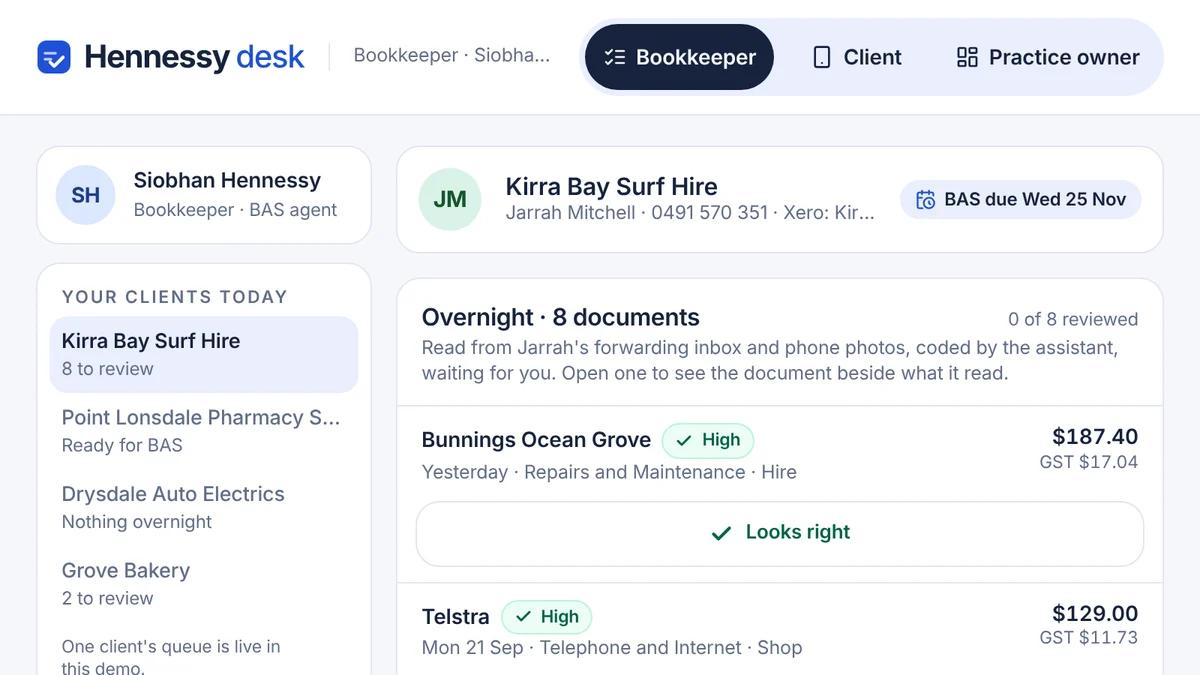
Good processing doesn't just extract, it checks. Do the line items add up to the total? Is the ABN valid? Does the supplier or customer already exist? Has this document number been seen before? Anything that fails a check, or that the model flags as uncertain, goes to a review queue with the document beside the extracted fields. Everything else flows straight through.
Measure it on your own documents
Accuracy figures in a sales deck are measured on someone else's paperwork. Run fifty to a hundred of your real documents through it, including the blurry phone photos and the supplier who sends three invoices in one PDF, and count the corrections. That number, not the demo, decides whether it's worth building.
Keep the original, linked to the record
The ATO expects business records kept for five years, and says that if you key details from a document into your accounting software you still need to keep the document itself. Store the original file and attach or link it to the record it created, so anyone can check an entry against its source.
Send the model only what the job needs
Documents carry more personal information than people expect: signatures, licence numbers, medical details on a referral. Mask what the workflow doesn't need before it reaches a model, use a business account where the provider doesn't train on your data, and handle the documents under the Privacy Act exactly as you would on paper.
Three ways to get documents into your systems
Most businesses use the first for supplier bills and one of the others for everything else.
| Criteria | Built-in capture | Automation tool with an AI step | Custom processing |
|---|---|---|---|
| Examples | Xero, MYOB Assist, Dext, Hubdoc | Make, n8n or Zapier calling an AI model | Code built around your documents and systems |
| Good at | Supplier bills and receipts into accounting | One document type at modest volume | Several document types, high volume, strict checks |
| Where results go | Your accounting software | Anything the tool connects to | Anywhere with an API, including your own database |
| Checks before entry | The vendor's | Whatever you build into the workflow | Whatever the business needs: totals, ABNs, duplicates, matching |
| Handling exceptions | A review step inside the product | Usually an email or a spreadsheet | A review screen with the document beside the fields |
| Typical cost | Included, or a modest subscription | A few thousand to set up, plus usage | $3,000 – $20,000 to build, cents a document to run |
When this isn't the answer
If what you're processing is supplier bills into Xero or MYOB, you almost certainly don't need us: the built-in capture is good, cheap and supported. Custom processing earns its cost at volume, roughly fifty or more documents a week of a kind nothing off the shelf handles, or where a wrong entry is expensive enough to justify proper checks. Below that, a person with a good template is still the cheaper answer.
Stay up to date
Tech that matters to Australian small businesses. Unsubscribe anytime.
Start with a 30-minute call
Tell us the task that eats the most time, or just that you're not sure where to begin. We'll tell you on the call whether it's worth automating, and what we'd do first.
jayson@pixelapps.com.au
1300 204 802
Macedon Ranges, Victoria
Serving clients across Australia
Common questions
On clean, typed documents, accurate enough that most entries need no correction. On phone photos, unusual layouts and PDFs holding several documents, less so. The honest approach is to measure it on a sample of your own documents and design for the errors with checks and a review queue, rather than trust a headline percentage.
Often, if the handwriting is reasonably clear and the form has a consistent layout. Expect more of them in the review queue than typed documents, and test with your own forms before relying on it. Ticked boxes and printed capitals are usually fine; notes scrawled in the margin are not.
It can be, set up properly: a business account with a provider that doesn't train on your data, only the fields the job needs sent, and the documents handled under the Privacy Act as they would be on paper. Highly sensitive documents, such as medical or identity records, deserve a closer look before they're automated.
Yes. Both have APIs that can create bills, invoices and contacts, and attach the original file to the record. For supplier bills specifically, their own capture is usually the better first step, and custom processing handles the documents they don't take.
Usually by email: a dedicated address such as orders@ or accounts@ that the workflow watches. Each attachment is read, checked and entered, and the email is filed or flagged. Documents photographed on site can go to the same address or through a simple upload form.
For the first month, someone should check everything. After that, only the review queue: documents that failed a check or that the software marked as uncertain. That's usually a small share of the volume, and it's what keeps confident mistakes out of your accounts.
See it working
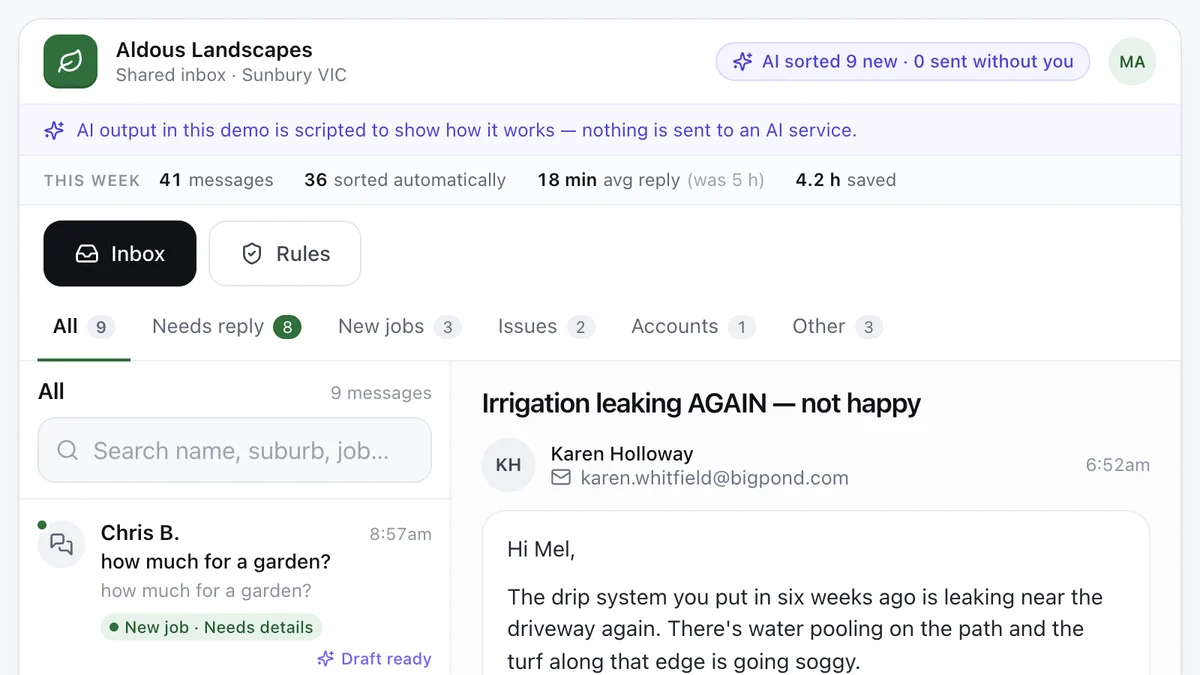
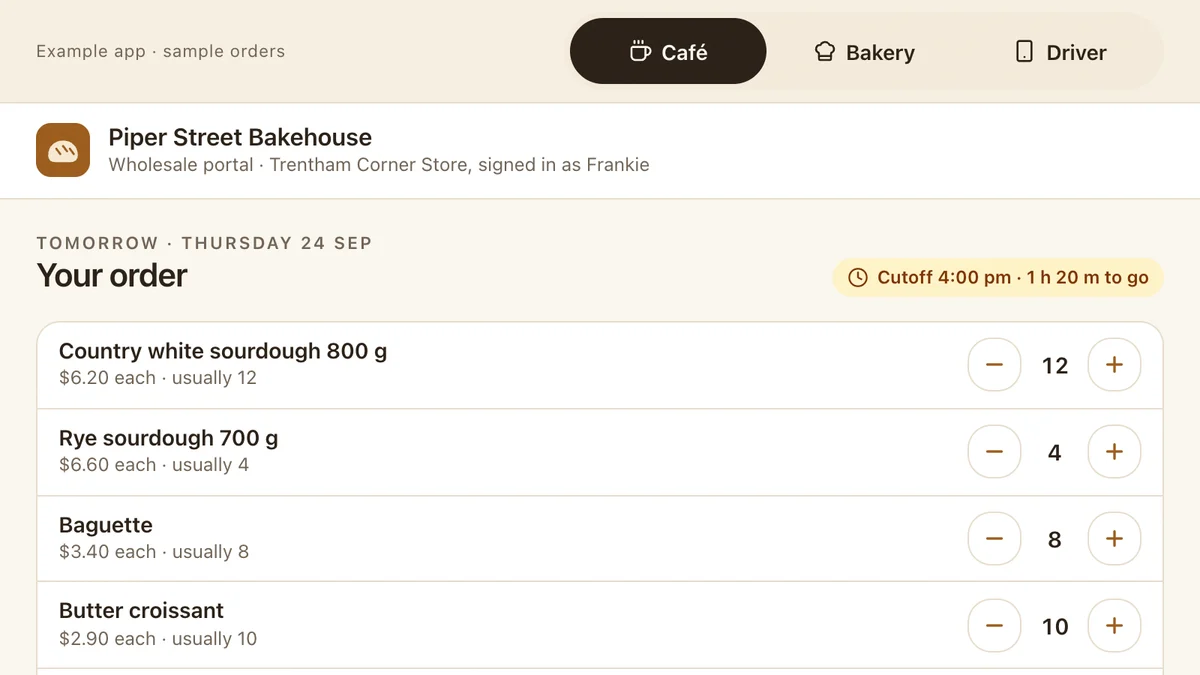
Software we'd build, running with a fictional business and sample data. Use it, then decide.
Also worth a look
- 20 Small Business Automation Examples
- Is AI Safe for My Business? Privacy and Control
- What AI Automation Costs in Australia (2026)
- How to get your business systems talking to each other
- Want the do-it-yourself guide to showing up in AI answers?
Last reviewed . Figures are indicative Australian ranges, not quotes.