Report generators
Reports that write themselves, in your format, from your own data
Plenty of businesses sell a report, or owe one: an inspection report, a client's monthly results, a compliance record, a progress update, a board pack. The work behind it is already done. What eats the evening is copying it into the template, resizing photos, fixing page breaks and emailing the PDF. A report generator does that part, every time, the same way.
Rather just ask someone? Talk to usIn short
A report generator turns information you already capture, from site visits, forms, job systems or your accounts, into a finished, branded report, usually a PDF, and sends it to the right people automatically. It suits businesses that write the same kind of report again and again. A qualified person still signs it off; AI can draft wording, never findings.
- Report or dashboard?
- A dashboard is live and stays inside the business: numbers you check to make decisions. A report is a fixed document that leaves it: dated, often signed, and relied on by someone else. Many businesses need both, and both can run from the same data. This page is about reports; the dashboards guide covers the other half.
What automating a report typically costs
Indicative Australian ranges in 2026, not quotes. Ongoing hosting and care is extra.
- One report from data you already have $3,000 – $10,000
- Your template, filled from a spreadsheet, form or system you already run, produced as a branded PDF and emailed.
- Several report types, with rules $10,000 – $30,000
- Sections that change with the job, a library of standard wording, and review and sign-off before anything is sent.
- Capture app and generator $25,000 – $60,000
- A phone app for site visits that works offline, photos tied to findings, a client portal and reports issued on the day.
- Ongoing care from $750 per month
- Hosting, template changes, updates, security patching and an agreed block of development time.
What actually helps
Start from the report you already send
Your best existing report is the specification. Its sections, tables and wording become the template, and the places you type the same thing every time are the first to automate. Bring three real examples, including a messy one.
Capture each fact once, where the work happens
Most of the time goes on re-typing notes, photos and readings captured somewhere else. A phone form on site that works without signal, or a pull from the job or accounting system, records each fact once against the section it belongs to, so the report is mostly written when the job is done.
Write down the rules, not just the layout
A good generator knows which sections apply to this kind of job, which standard wording goes with each finding, where each photo belongs, and what must be complete before the report can go. Those rules are where the hours, and the errors, come out.
Keep a person in charge of what it says
AI is good at turning voice notes into consistent sentences and spotting a section left blank. It can't know what it didn't see. Findings, ratings and recommendations stay with the person who signs the report, and the system records who approved what, and when.
Make the output dependable
Consistent fonts, page breaks that never split a photo from its caption, numbered findings, and the ability to reproduce any report exactly as it was sent. If government clients receive your reports, ask whether they need tagged PDFs that screen readers can follow. If a report is ever challenged, the original matters more than the design.
Deliver it, and know it arrived
Send each report to the client and anyone they've approved, as a PDF and a web link with full-size photos, and record when it was sent and when the link was opened. Keep every version where staff, and clients if you like, can find it years later.
Word templates, an off-the-shelf tool, or a custom generator?
How the three usual approaches compare for a business producing the same kind of report every week.
| Criteria | Word or Google Docs template | Off-the-shelf reporting tool | Custom report generator |
|---|---|---|---|
| Best for | A few reports a month | Standard checklists, or marketing and financial reports | Your own format, several report types, data from several places |
| Typical examples | Mail merge and copy-paste | SafetyCulture for inspections, Looker Studio or AgencyAnalytics for marketing, Fathom for management accounts | Built around your template and your systems |
| Where the time goes | Copying and formatting, every time | Fitting your work into their template | Reviewing, then send |
| Fits your format | Fully, by hand | Within the options they offer | Exactly |
| Ongoing cost | Staff time | Per user, per month | Hosting and maintenance |
Before you automate a report
Gather these and the first conversation does most of the scoping.
- Three real reports you've sent, including one that took far too long
- Every report type you produce, and roughly how many a month
- Where each piece of information comes from today
- The wording you repeat, and the rules for when it applies
- Who reviews and signs off, and who receives a copy
- Any standard, regulator or client requirement the report must meet
- How long reports must be kept, and how you'd find an old one
Where we'd tell you otherwise
If you send a handful of reports a month in a format that rarely changes, a good Word template and twenty minutes is cheaper than any software. If your reports are standard checklists, an off-the-shelf app such as SafetyCulture will probably do the job for a monthly fee. A custom generator pays off when the format is yours, the volume is real and the information starts in more than one place.
Tell us what's getting in the way
Describe the systems you run and what isn't working. We'll tell you what we'd do first, including when the answer is a product you can buy or a setting you can change.
jayson@pixelapps.com.au
1300 204 802
Macedon Ranges, Victoria
Serving clients across Australia
Common questions
Software that fills your report template from information you've already captured, applies your rules for what goes in, produces the finished document, usually a PDF, and sends it. The person who would have written it reviews and approves it instead.
It can draft them. It turns voice notes and short findings into clear, consistent sentences and spots a section left blank. It shouldn't decide what was found or how serious it is, and it can't vouch for anything it didn't see. Keep a qualified person approving every report, and keep a record that they did.
Yes: once approved, or on a schedule for reports built only from system data, such as a monthly client summary. Each one goes to the people you've set, as a PDF and a link, with a record of when it was sent.
Roughly $3,000 to $10,000 for one report built from data you already have, $10,000 to $30,000 for several report types with rules and sign-off, and $25,000 to $60,000 when it includes an app for capturing information on site. A fixed quote follows a short scoping call.
Yes. Your current report is the starting point: layout, fonts, logo, tables and wording. Most clients tidy it up along the way, because once it's automated, consistency costs nothing.
Usually. Xero, MYOB, ServiceM8 and most CRMs and job systems have APIs, and a spreadsheet can be read directly or replaced. Where a system has no API, a scheduled export can be the bridge.
See it working
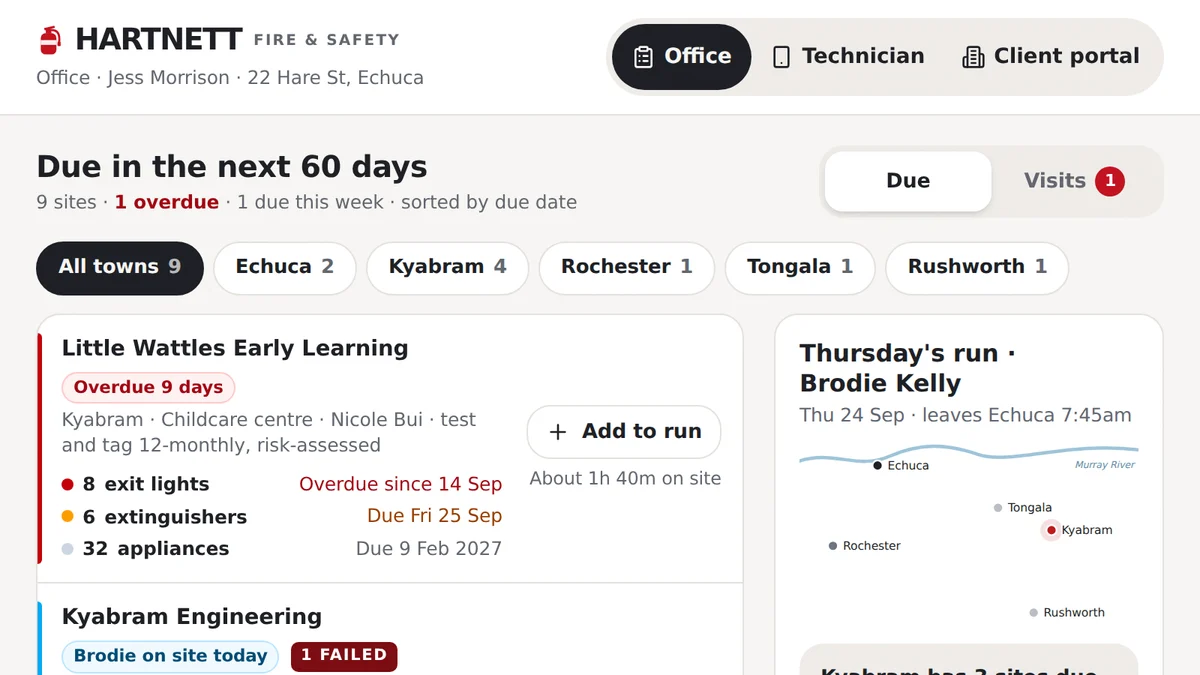
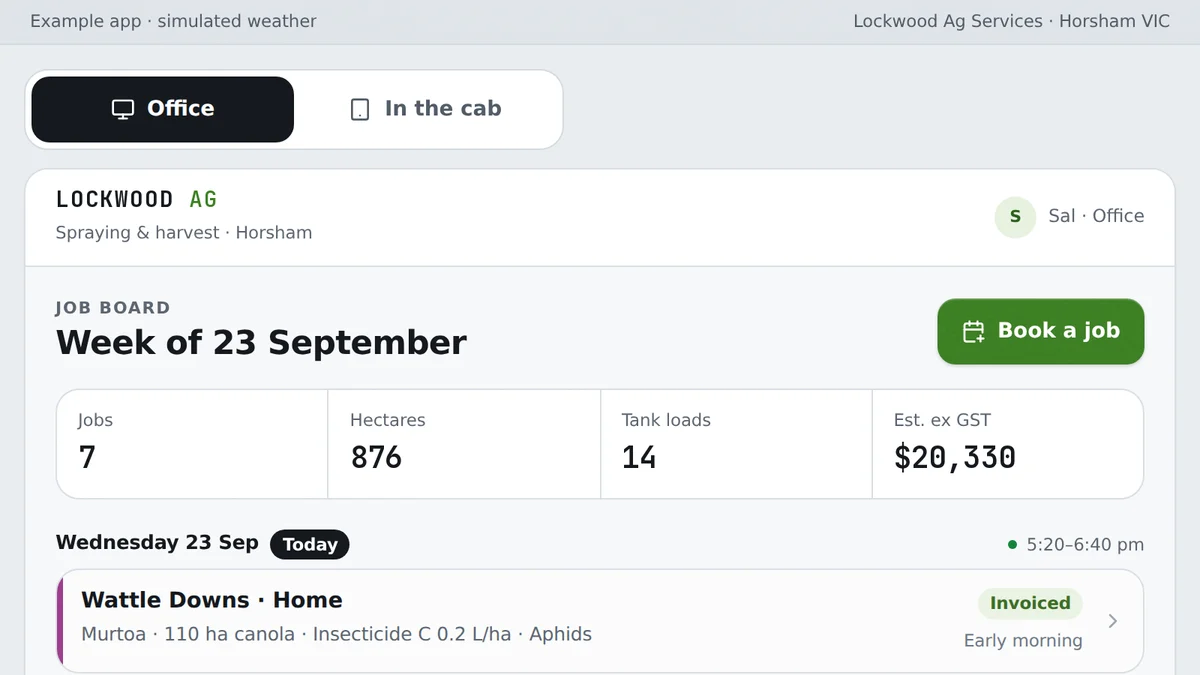
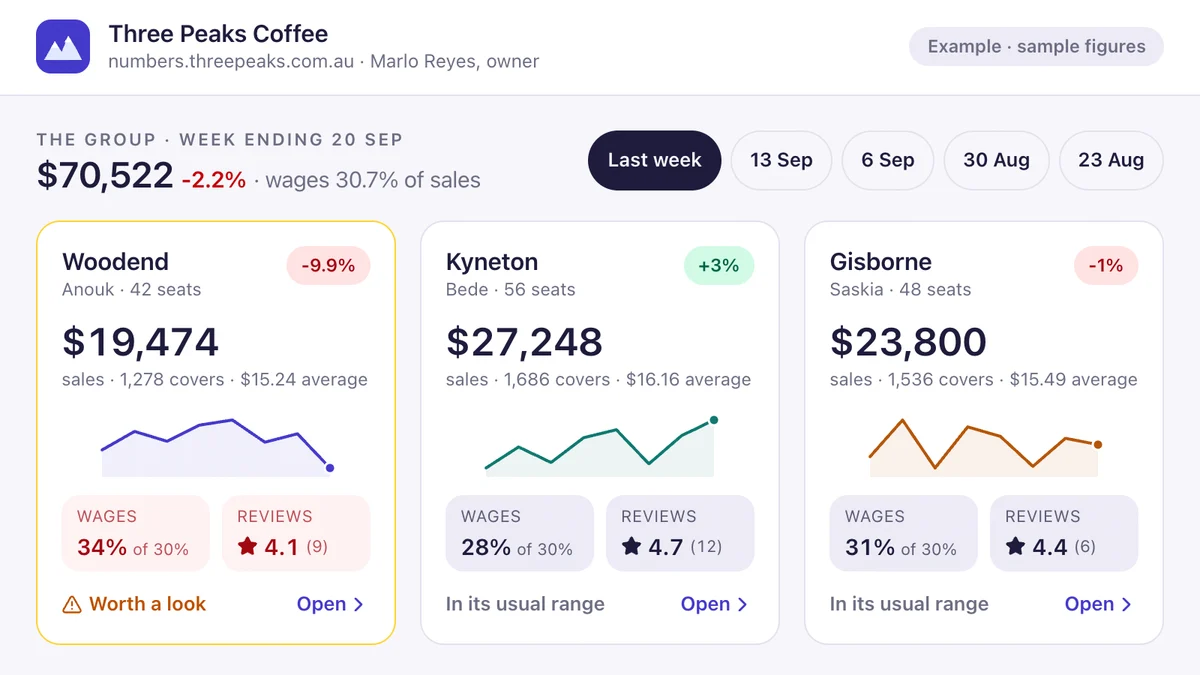
Software we'd build, running with a fictional business and sample data. Use it, then decide.
Also worth a look
- Business Dashboards for Small Businesses
- When to Stop Running a Business on Spreadsheets
- How to Connect Xero, MYOB and Your Other Systems
- Ready to automate the repetitive work? AI for your business
Last reviewed . Prices are indicative Australian ranges, not quotes.